Connect AI models
Connect Claude Code, Codex, Grok, Ollama and API providers, and test each one.
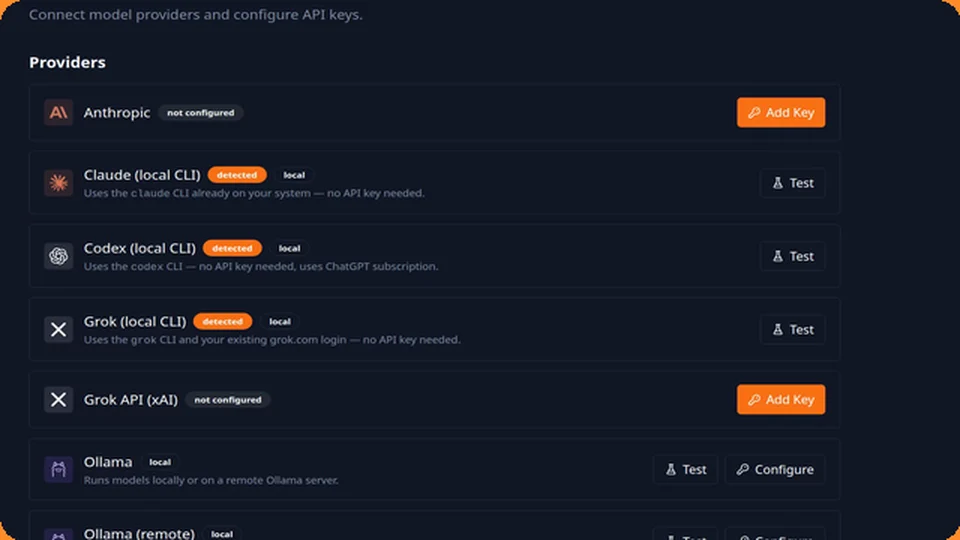
Providers: connecting AI models
Settings isn't where providers live — go to Models in the sidebar.
- Local CLI logins (Claude Code, Codex, Grok): if you're already logged into one of these tools on this machine, JunctionBox detects it automatically — nothing to configure. Click Test to confirm.
- Cloud APIs (Anthropic, OpenAI, xAI): paste an API key and save. JunctionBox stores it encrypted and only uses it for your own agent runs.
- Ollama: point JunctionBox at your Ollama server (defaults to
http://localhost:11434); works with a remote Ollama server too, with an optional auth key.
Only providers JunctionBox considers "configured" show up when you go to create an agent.
Source: USER_GUIDE.md in the public releases repository.