
Schedules, Telegram and webhooks
Run agents on a timer, from your phone through Telegram, or from another service through a webhook.
Scheduling recurring work
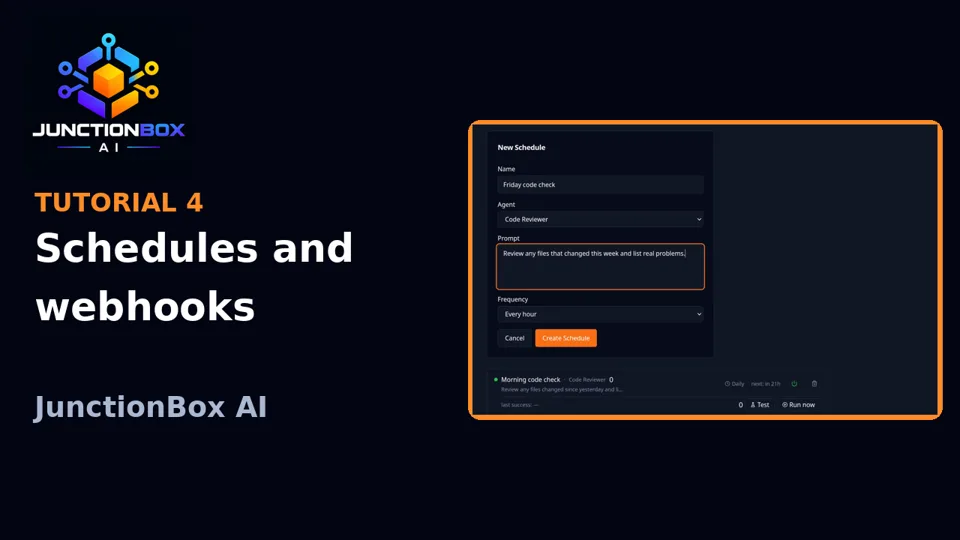
Schedules runs an agent's prompt on a repeating interval (minimum one minute) — a daily summary, a recurring check-in, anything you'd otherwise have to trigger by hand.
- Test fires the prompt once, right now, without affecting the schedule's own timing or reliability tracking — use it to check a schedule actually does what you expect before trusting it unattended.
- A schedule that fails repeatedly auto-pauses (default: 5 consecutive failures) rather than silently failing forever; resume it manually once you've fixed the problem.
- Optional proactive decision mode: the scheduled agent can decide for itself whether a given run is worth notifying you about (
notify) or not (silent), with deduplication so the same recurring condition doesn't page you every single run, and optional quiet hours.
Telegram
Connect one or more Telegram bots (via @BotFather tokens) to talk to a specific agent from your phone. Configure under Telegram in the sidebar: add a bot, set its target agent, and add the Telegram chat IDs allowed to use it — anyone not on that allowlist is silently ignored. Each bot is independent; a message to one bot never reaches another bot's agent or trusted-sender list.
Webhooks
Webhooks gives any agent a public, secret-protected URL that triggers a run from outside JunctionBox entirely — useful for wiring JunctionBox into some other automation (a CI pipeline, a form submission, another app). Rotate the secret any time from the same page.
Source: USER_GUIDE.md in the public releases repository.