
Agents, chat and compare
Create agents, choose permission profiles, chat with them and compare models side by side.
Creating and configuring agents
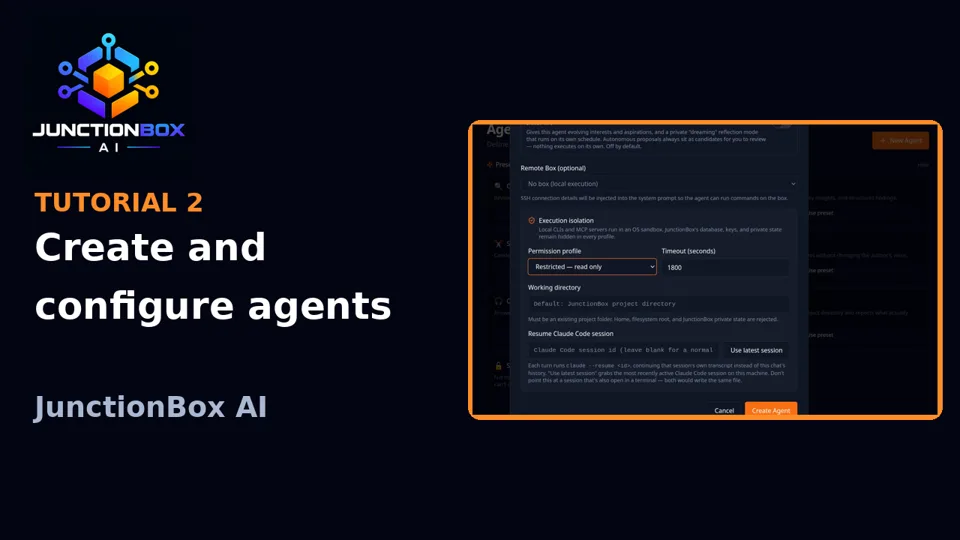
Go to Agents → New Agent.
- Name, description, provider, model, system prompt — the basics.
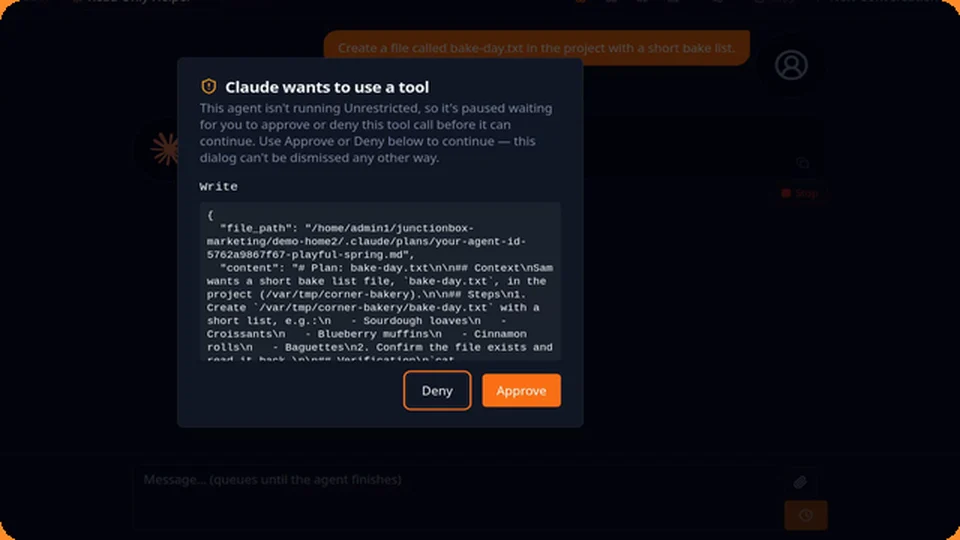
- Permission profile controls how much of your filesystem a local CLI agent (Claude/Codex/Grok) can touch: Restricted (read-only), Workspace (only the agent's own working directory is writable), or Unrestricted (full host access, for compatibility — use deliberately, not by default).
- Working directory — where a local CLI agent operates. Leave blank to use a sensible default.
- Timeout — how long a single run can take before JunctionBox gives up (30 seconds to 2 hours).
- Optional toggles worth knowing about:
- Operating context — only for an agent you're using to work on JunctionBox's own source code. Leave off for a normal agent.
- Structured identity — a richer persona (role, tone, values, boundaries) beyond the free-text system prompt, editable from the agent card's Identity dialog, with full version history.
- Memory — see Memory and agent identity.
Click Run on any agent card to jump straight into a new Chat tab with it.
Chatting with agents
The Chats page is the main way you interact with agents.
- Multiple tabs, each with its own agent and conversation. Enter sends, Shift+Enter inserts a newline.
- Responses stream live. The Activity drawer (collapsed by default) shows what the agent is doing — tool calls, delegation, retries — without exposing raw private reasoning.
- You can stop a running response, copy any message or the whole transcript, attach files/images, and open an interactive terminal as its own tab.
- Save a conversation as a named thread (Threads page) to revisit later; New Conversation starts fresh with the same agent.
- By default chat history lives in your browser only (
localStorage) — clearing browser data loses it. Turn on server-side conversations (a Settings toggle) to make conversations durable in the database instead, with cross-browser access and an import flow for anything already saved locally.
Comparing agents side by side
Compare runs one prompt against several agents at once, streaming each response in its own column — useful for picking a model/provider or sanity-checking a prompt change across agents.
Source: USER_GUIDE.md in the public releases repository.