
OPTIONAL ZIP PLUGINS
Explore the JunctionBox plugin catalog
Install just the capabilities you need—from infrastructure and research to home automation, media and AI-assisted creation.
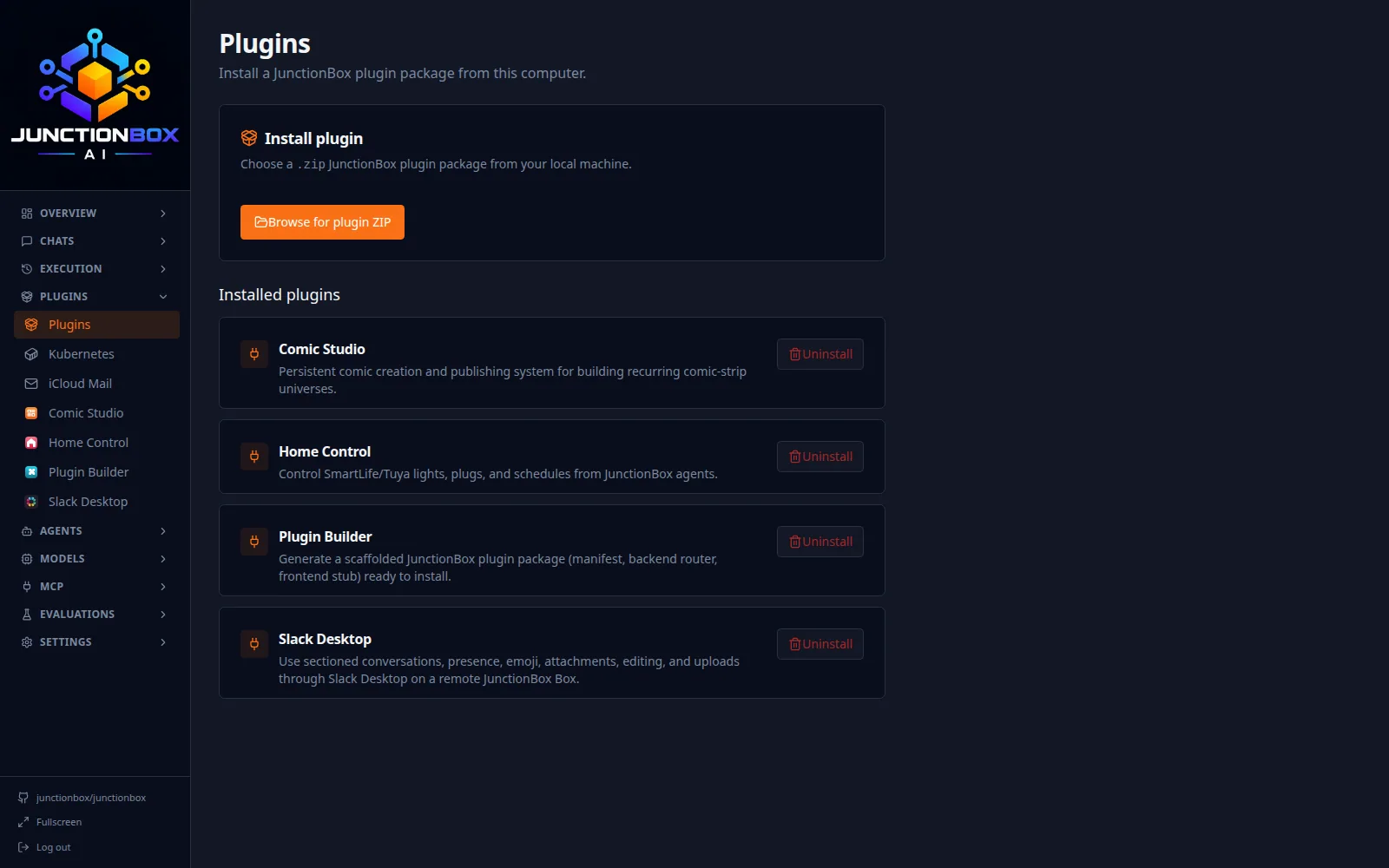
CUSTOMER PROBLEM → JUNCTIONBOX SOLUTION
Why this matters
JunctionBox lets you add modules from optional release ZIPs, and build your own.
WHAT YOU GET
More than a feature name
Customize the stack
The problem: Every user needs different systems.
What JunctionBox does: Install capabilities for your hardware and workflows.
Explore →Experiment independently
The problem: Bundled monoliths tie unrelated features together.
What JunctionBox does: Try new plugins without replacing the whole core product.
Explore →Connect it to agents
The problem: A separate tool is one more context switch.
What JunctionBox does: Selected plugin capabilities can be exposed as tools through the JunctionBox ecosystem.
Explore →Not every plugin will work on every operating system, hardware configuration or without external accounts. Verify installation notes in the latest package.
NOT JUST A CATALOG
Create your own plugins with Plugin Builder.
When the ready-made catalog doesn't fit your needs, Plugin Builder helps you create a custom JunctionBox plugin, with a starting structure you can adapt to your own tools and workflows.
DOCUMENTED OPTIONAL PLUGINS
The tools behind the platform

Plugin Builder
Scaffold a plugin with the right structure instead of starting from an empty folder.

System Operations
Grant and review bounded system-level capabilities for agent work.

Agent Swap Groups
Arrange agents against limited available GPU or model runtime capacity.

Dev Tools
Give developers practical tools inside agent workflows.

Browser Fallback
Provide agents with a fallback browser path for difficult web content.

Money Manager
Keep personal finance workflows in a locally controlled tool.

E*TRADE
Link supported brokerage workflows when configured.

Home Control
Control compatible lights, groups, TVs and climate from one place.

Ring Security
View cameras in JunctionBox and on compatible TVs.

iMessage Chat
Connect supported iMessage conversations to your agents.

iCloud Mail Cleanup
Apply automation to mailbox maintenance.

Kubernetes
Let authorized agents inspect or operate Kubernetes resources.

Image Finish
Polish images created by your workflows.

Stickers
Create sticker collections and use them on the TV.

Age Shift
Explore age-adjusted creative portrait collections.

Storyboard
Organize visual sequences and scenes.

AI Image Detector
Investigate evidence for or against AI-generated images.

Time Machine
Create time-shifted visual interpretations.

Historical Intelligence
Investigate historical collections with sourced claims and entities.

Watch List
Save videos and pages to watch from the TV.

Recipes
Keep recipes, favorites and a kitchen-friendly reading experience.

Pit Boss Grill
Monitor and control a compatible local Wi-Fi pellet grill.

DeviceLab
Research devices and firmware you are authorized to analyze.

Smart TV Launcher
Put home, media, games, terminals and AI capabilities on TV screens.

Comic Studio
Build your own comic panels, issues and books.

Book Studio
Assemble illustrated books and read them on the television.

Video Studio
Make short generated video clips and stitch story projects together.

Print Studio
Create or prepare printable designs; check platform availability.

Slack Desktop
Integrate supported Slack desktop workflows.

SubBrowser
Use an optional dedicated browser workflow.

HomeBrowser
Extend supported local browser interactions.

TV Player
Play supported media through the TV experience.
Get more out of the technology you already own.
Start JunctionBox Core free with two active agents. Browse optional plugins from the latest release and install the capabilities that fit your setup.