Optional plugins
What each optional plugin does, from Home Control to Video Studio.
Pro plugins: Ring Security, Home Control, iMessage Chat, iCloud Mail Cleanup, Slack Desktop, Kubernetes, DeviceLab, Video Studio, Book Studio, Comic Studio and Historical Intelligence are part of JunctionBox Pro. Every install gets a 7-day trial of them; after it they need a Pro license (the other plugins stay free).
These are optional add-ons, not part of the base install. Each one is a separate .zip attached to this release. To install one: Settings → Plugins → Browse for plugin ZIP, pick the file you downloaded, then restart JunctionBox.
None of these need any account or credential you don't provide yourself — every integration below takes its own login/API keys through its own setup screen after you install it.
Home Control
Local smart-home control across more than one device protocol under one set of rooms, groups, and schedules: cloud-linked bulbs/plugs controlled directly over your local network (falling back to the cloud API only for devices that don't answer locally), plus TVs and streaming boxes discovered automatically on your network. Cross-protocol groups ("turn off everything in this group"), cron-based schedules, and on/off/brightness/remote-button tools exposed to your agents.
Ring Security
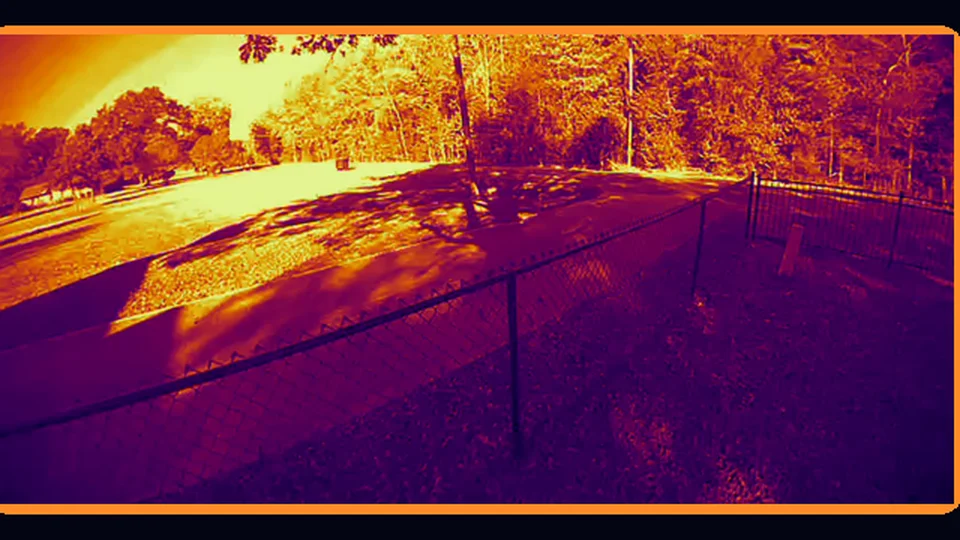
Links your own Ring account (email/password with 2FA) to sync doorbells, cameras, and chimes. Live View, on-demand snapshots, event history with recording playback, and a persisted monitor-wall layout. Ring Security is a Pro feature: it is included in the 7-day trial that every install starts with, and needs JunctionBox Pro ($49/year) after that. With Smart TV Launcher, the Ring tile on a Roku gains picture views during a live view: press Play/Pause to cycle Night green, Night red, Low light, Contrast, Heat map, Edges, Motion map (movement lit in orange) and Motion trails. They enhance or recolor what the camera sends and are not real infrared or thermal vision. Opening a camera takes about 4 to 8 seconds.
iMessage Chat
A full Messages client for your BlueBubbles-connected Mac: conversation list and history, sending text and attachments, unsending, an emoji picker, and a "new message" compose view with recipient autocomplete from your synced contacts.
iCloud Mail
Link an iCloud account (app-specific password, no OAuth) and manually review + clean up spam, subscriptions, and old mail — nothing is deleted or sent without you clicking a specific action on a specific batch. An optional guardrail-bounded automatic cleanup mode can trash AI-flagged junk, archive old read mail, and send mailto unsubscribes on a recurring schedule, capped by limits you set.
Kubernetes
Register this machine or any remote machine over SSH as a Host, then create and manage disposable kind clusters — full lifecycle (create/start/stop/destroy/recreate) plus day-2 inspection of namespaces, pods, deployments, services, logs, events, port-forwards, and Helm releases. An extensible Cluster Plugins layer lets you register your own reusable kubectl/binary commands with typed parameters.
Image Finish
Local, ordinary image finishing: upload an image and get back a version with autocontrast, a subtle contrast boost, and a subtle sharpness boost applied — the same kind of adjustment any photo tool makes. Nothing leaves JunctionBox.
Stickers
A personal sticker library. Upload an image, or describe one and have it generated through a connected AI image provider. Runs as a background job with live status and retry-on-failure, and exposes a tool so your agents can generate an image directly.
Age Shift
Takes a photo you upload and renders it at a different apparent age, preserving identity. Aging up and aging down are independently tuned. Produces a batch of candidates per click, organized into optional password-protected groups.
Storyboard
Organizes AI-generated concept-art shots into ordered project sequences, with an identity-preserving path for scenes involving one or two specific people. An optional AI prompt-helper turns a rough idea into a full generation prompt.
AI Image Detector
Find out whether an image is AI-generated, and see why. Drop, paste or link any image. AI Detector checks it for signed Content Credentials from AI generators and cameras, for generator labels hidden in the file, and for Stable Diffusion's invisible watermark. It also scores the pixels with a dedicated open-source detector model that runs on your own hardware: this JunctionBox or another machine you've added. Every verdict explains itself in full. It names the rule that decided it, then lists each check with what it found, which way it points, and why it did or didn't count, including the checks that found nothing. Honest cautions come with it, for example that scans of genuine old photos occasionally get flagged. An optional Codex or Grok second opinion explains what looks off, but never changes the verdict. The detector model is a one-time download of about 560 MB from inside the plugin, and runs on Linux (x86_64/arm64) and macOS (Apple Silicon/Intel). Agents can check images too.
Time Machine
Turn a photo of your house, a church, a barn, a storefront, or a street into a convincing old photograph of it from back in the day: under construction with timber scaffolding and workers, the day it was finished, or in its early years. The print can be a daguerreotype, a sepia print, a glass plate, or whatever suits the year. Or go forward in time: the same place decades or centuries from now, still lived in, renovated with future technology, a landmark with the city grown up around it, abandoned, reclaimed by nature, under rising waters, or in ruins being excavated by future archaeologists, captured on the camera of that year. The building's architecture and the original camera angle are kept. Generate with the Codex or Grok CLI or a ComfyUI server you run. Each result automatically gets the same contrast-and-sharpness finishing as Image Finish. Keep your favorites, compare them side by side with today, and fine-tune the old-photo look in a built-in darkroom.
Historical Intelligence
A research database and research team for old buildings, the people who built them, and the stories told about them. Every date, fire, replacement, and architect credit is recorded as a claim tied to a quoted passage in a stored source, and its status (corroborated, supported, only attributed, contested...) comes from that evidence alone. Sources keep their original file, URL, and access date, and are marked as contemporary records, later reports, secondary compilations, attributions, or AI inference. Sources that copy one another count as one line of evidence, not several confirmations. Similar names ("A. J. Bryan", "Andrew Jackson Bryant") are flagged as possible matches for you to confirm, never merged on their own. Search the Library of Congress, Chronicling America's newspapers, and the Internet Archive from inside the plugin, reconcile several transcriptions of a damaged document word by word, compare postcards and photographs, and see every building recorded on one site in turn. 27 pattern rules look for things like fires followed by near-identical rebuilds, dates known only from much later sources, and architects credited with many buildings across states, with rates compared against a baseline. Assign your own agents to research roles (Director, Archive Hunter, Document Analyst, Evidence Auditor, and more) and start investigations that run as normal JunctionBox runs, once or on a schedule. Import lists of buildings from CSV, Excel, JSON, Word, web pages, or a pasted list (or have an agent pull them out of a PDF), or discover them by state, county, years, and type, including straight from Mississippi's Historic Resources Inventory, then review new rows, duplicates, and conflicting dates before anything is saved. Export to JSON, CSV, or Markdown dossiers.
Watch List
A shelf for videos you want to watch later. Paste a link (or many at once), add a note, pin the ones you want first, and tick them off when you've watched them. Titles are looked up for you. Pair it with Smart TV Launcher: your saved links appear on the Web Video start page on your Roku, and a saved YouTube link opens in the Roku's own YouTube app.
Recipes
Your cooking recipes, kept the way you write them: a name, then the cooking steps with the ingredients and amounts inside the steps, as one page that scrolls. Write, edit, favorite, duplicate and delete recipes; search finds words inside the steps too. Import by pasting text (several at once, separated by a line of ---), from a web link (it reads the recipe the site publishes for search engines), or from a file (.txt, .md, .docx, .html, .json, or a backup made with Export all). Add pictures to a recipe (they are resized and stripped of location data). Cook view shows a recipe in big text that keeps the screen awake. With Smart TV Launcher, the recipe appears on your Roku as a page you scroll, with a video playing beside it, or on your phone through a QR code while you watch YouTube on the TV.
Smart TV Launcher
Gives your Roku TVs and boxes, and your Google TV and Android TV sets, a custom home screen: your streaming apps as big tiles (using the artwork the TV already has), the weather, and a row of JunctionBox controls for Home Control lights and air conditioning, Ring Security snapshots and live view, Video Studio, Photos (Stickers, Age Shift, Storyboard, Time Machine), Book Studio and Comic Studio books, and seven public-domain Bibles (including Ethiopian and Amharic) with Old and New Testament, book and chapter menus. The TV returns to the launcher by itself when you leave an app. Claude, Codex and Grok tiles open a terminal for that coding agent on your computer, a Box Shells tile opens a shell on any of your JunctionBox boxes, a Screen Share tile shows a box's screen on the TV and lets you drive it with the remote (needs the Web Video part), and an Agents tile chats with your JunctionBox agents (watch them work, approve what they ask, answer them, pop-ups on the TV that started the chat); all are locked behind a PIN you set, and the agents and shells keep running when you leave, with a Permissions drop-down for each agent that runs from asking before every action to doing everything. Web Video shows a browser from your computer on the TV and plays the videos it finds in the Roku's own player.
The plugin does the set-up for you: it starts the small background program the TV talks to, finds your Rokus on the network, and installs the launcher onto each one with a click, then keeps them up to date. You turn on developer mode on each Roku once. For a Google TV you turn on wireless debugging once and pair it with a code; the plugin installs a small Android app, which can become the TV's Home screen so the Home button opens the launcher. The step-by-step guide, including exactly how to turn on developer mode and troubleshooting, is docs/SMART_TV_LAUNCHER.md. Works on Linux and macOS; Python 3.9 or newer is needed, and ffmpeg, poppler and Google Chrome unlock Ring live view, PDF books and Web Video.
An Android tablet launcher makes a tablet's Home screen from the same bridge: a touch version of the launcher with your apps and pinned JunctionBox plugins, agent chat, Home Control, recipes, reminders, Ring cameras, a terminal and screen sharing, all behind the same PIN as the TV.
Also on the TV: a Games tile (one row of games off the JunctionBox screen) with four original arcade games made for the Roku and free for everyone: Tap Takeover (a maze chase), Stack Attack (falling blocks), Pacific Fury (air combat with six missions and a boss at the end of each) and Junction John: The Lost Circuits (a story platformer in six worlds, with bosses, warp conduits and narrated Cinematics). The household's top ten for each game is kept on your computer, so every TV shares one list. A Grill tile shows a Pit Boss grill's temperatures (see Pit Boss Grill), and the grill can tell the TVs when it is ready.
Pit Boss Grill
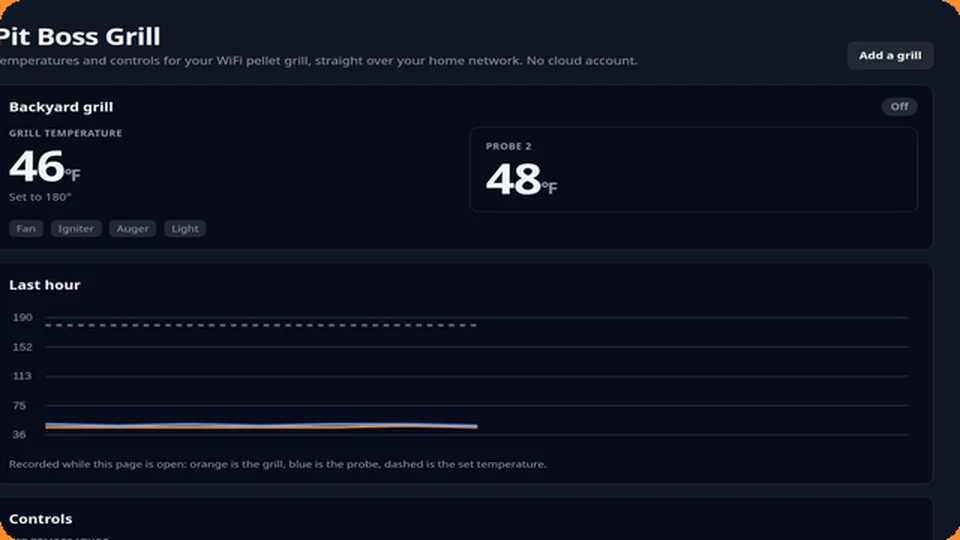
Watches and controls a Pit Boss WiFi pellet grill over your home network, with no cloud account. Add your grill by typing its address or with Find my grill, which looks for grills on your network; choose its model so the temperature list matches. The page shows the grill and probe temperatures, what the fan, igniter, auger and light are doing, any error (out of pellets, igniter, fan), and a chart of the last hour. You can set the temperature, set a probe target, switch the light on models that have one and turn the grill off; starting the grill asks you to confirm that someone is at it. With Smart TV Launcher, a Grill tile on the TV shows the same readings, and the grill can announce on your TVs, by voice, when it has reached its temperature, when a probe is done, or when it reports a problem; each alert is a switch you set per grill. Supports the PBL, PBL3, PBC, PBC2, PBG, PBV, PBV2 and PBP controller families (85 models). Needs a grill without a WiFi password set.
DeviceLab
A workspace for AI-assisted reverse engineering of hardware and software that you own or are authorized to analyze. Keep a record for each device (maker, model, chips, firmware, debug interfaces), register firmware and software artifacts with where they came from, record findings with their evidence and confidence, and keep a list of research sources. An investigation moves through numbered stages, and a registry lists the analysis tools and whether each is installed. A research team of agents can do the investigating, but anything risky waits in an Approval Queue until you approve or deny it. What is not known stays marked unknown instead of being guessed.
Comic Studio
A full comic-strip production system: universes, characters with versioned appearance history, strips, and panels. AI-assisted scripting and panel art, speech balloons, and diegetic in-panel sign/screen text. Finished strips bind into full Books, exportable as a screen PDF or a print-ready interior/cover PDF pair.
Book Studio
A deterministic (no AI) book-writing and publishing tool — the book is exactly what you write in it. Manages books and chapters, imports an existing .docx or .pdf and automatically splits it into chapters, and exports both a screen PDF and a print-ready PDF with selectable trim sizes.
Video Studio
Text-to-video generation: a fast tier with no identity support, and a slower, higher-quality tier. Identity-preserving generation trains a dedicated likeness from your own uploaded reference photos. Movies stitch several shots into one clip.
Movie Maker (a tab in Video Studio) makes a whole movie from many short shots, because the video engine makes about five seconds at a time. Describe the movie and one of your own agents plans a storyboard (scenes, shots, narration) for you to edit and approve; each shot is made through the same queue as Quick Generate as a take you can watch, approve, reject or redo; narration is read by a voice that runs on your own computer, timed to the pictures, with subtitles; your own clips, pictures and music can be added; and the finished movie is assembled with ffmpeg, checked, and exported as an MP4 that plays on your Roku and Google TV. A shot can continue from the last picture of the one before it. The Smart TV Launcher's Video Studio screen has a Movie Maker section to review shots and export from the couch (PIN required for anything that starts work).
Print Studio
Generates 3D-printable meshes two ways: an exact parametric path (boxes, tubes, brackets — watertight by construction) and an AI path that turns a photo or text prompt into a mesh, with automatic repair for the cases where the raw result isn't watertight.
Slack Desktop
A Slack client that drives your own already-logged-in Slack Desktop app on a remote machine — genuine UI automation of the real app, never touching Slack's cookies or tokens directly. Channels and DMs with unread/presence state, sending, editing, reactions, and file uploads.
SubBrowser
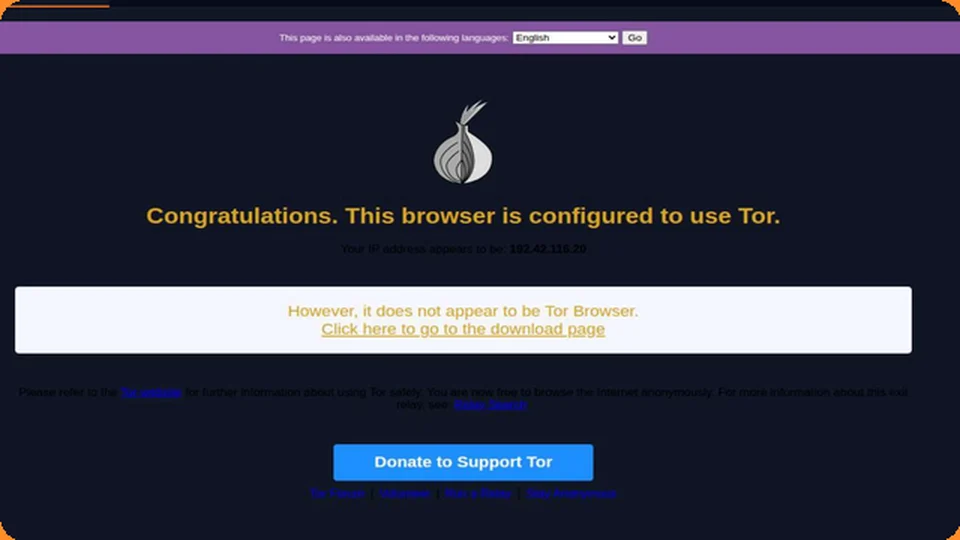
A real, isolated Chromium browser streamed live into a plugin tab, routed through Tor for IP-level anonymity, with tracker/ad blocking and WebRTC/timezone/geolocation hardening. Each session gets a fresh profile wiped on close.
HomeBrowser
The same real-browser architecture as SubBrowser, but with no Tor and one persistent profile — for browsing personally from a restricted device in a way that appears, to the outside world, as wherever JunctionBox itself is hosted.
TV Player
A grid of streaming-TV provider tiles (YouTube, YouTube TV, Hulu, Netflix, Prime Video, Max, Disney+, plus any others you add). None of these sites allow themselves to be embedded, so a small companion browser extension (installed once, download link right in the plugin's Settings tab) opens whichever one you pick as a real, native browser window on your own device — full video and audio, no lag, same as opening the site yourself, just one click from the dashboard. You log in the normal way, directly on the provider's own site; nothing about your account is stored in JunctionBox. Add your own providers beyond the built-in list with just a name and a URL.
For what ships in JunctionBox by default, see FEATURES.md. For installation, see INSTALL.md.
Source: PLUGINS.md in the public releases repository.